 Captionshaper
Captions that keep up with you.
Drop in a video. Captionshaper writes every word with its timing, right on your computer. Fix anything, pick a style, export. Nothing is uploaded.
macOS 12+ on Apple Silicon · Windows 10 and 11 (64-bit)
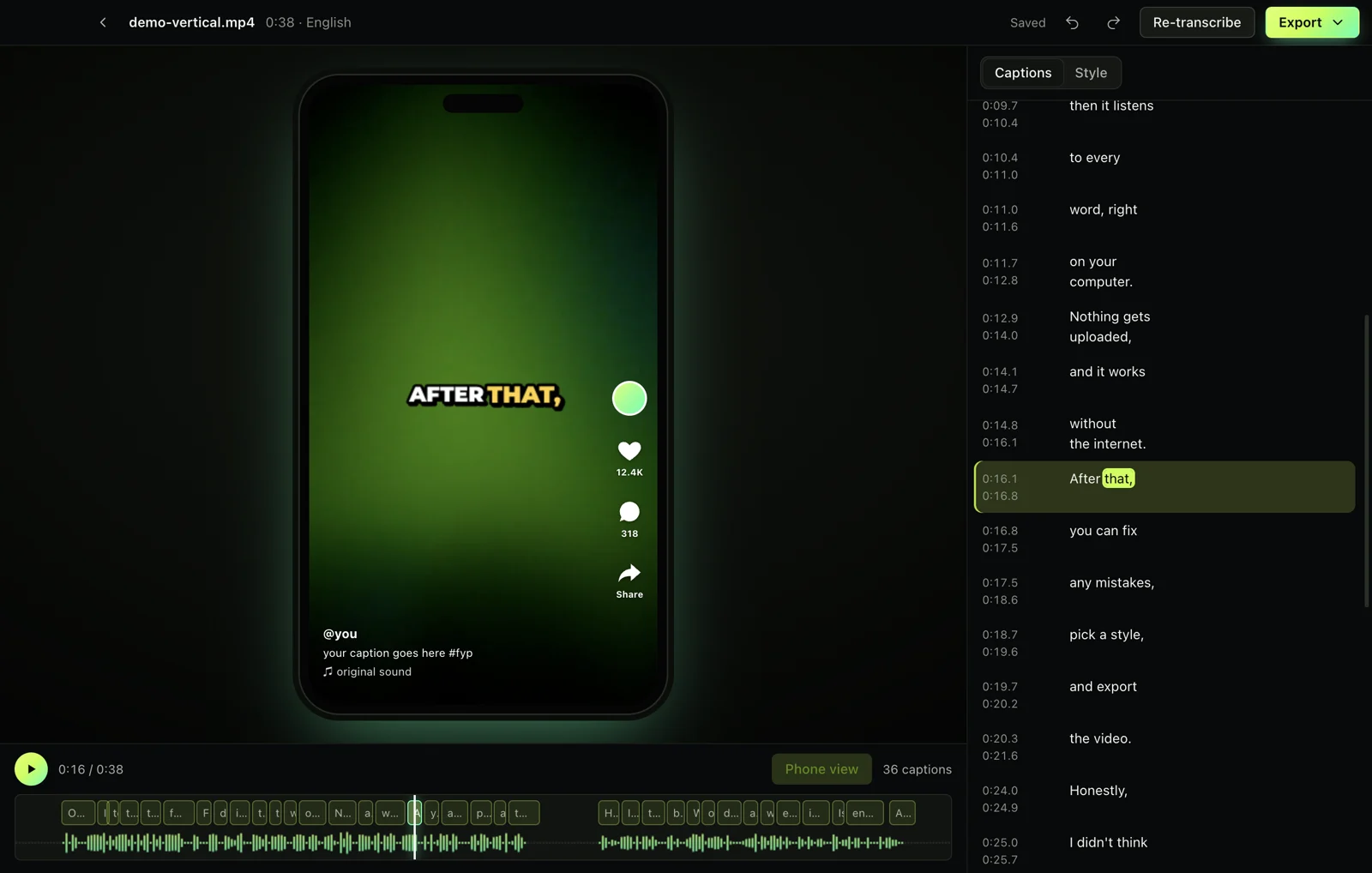
Watch it write.
Captionshaper finds the speech, skips the music and silence, and the words appear as they're written. A one-minute clip takes about ten seconds on an M-series Mac.
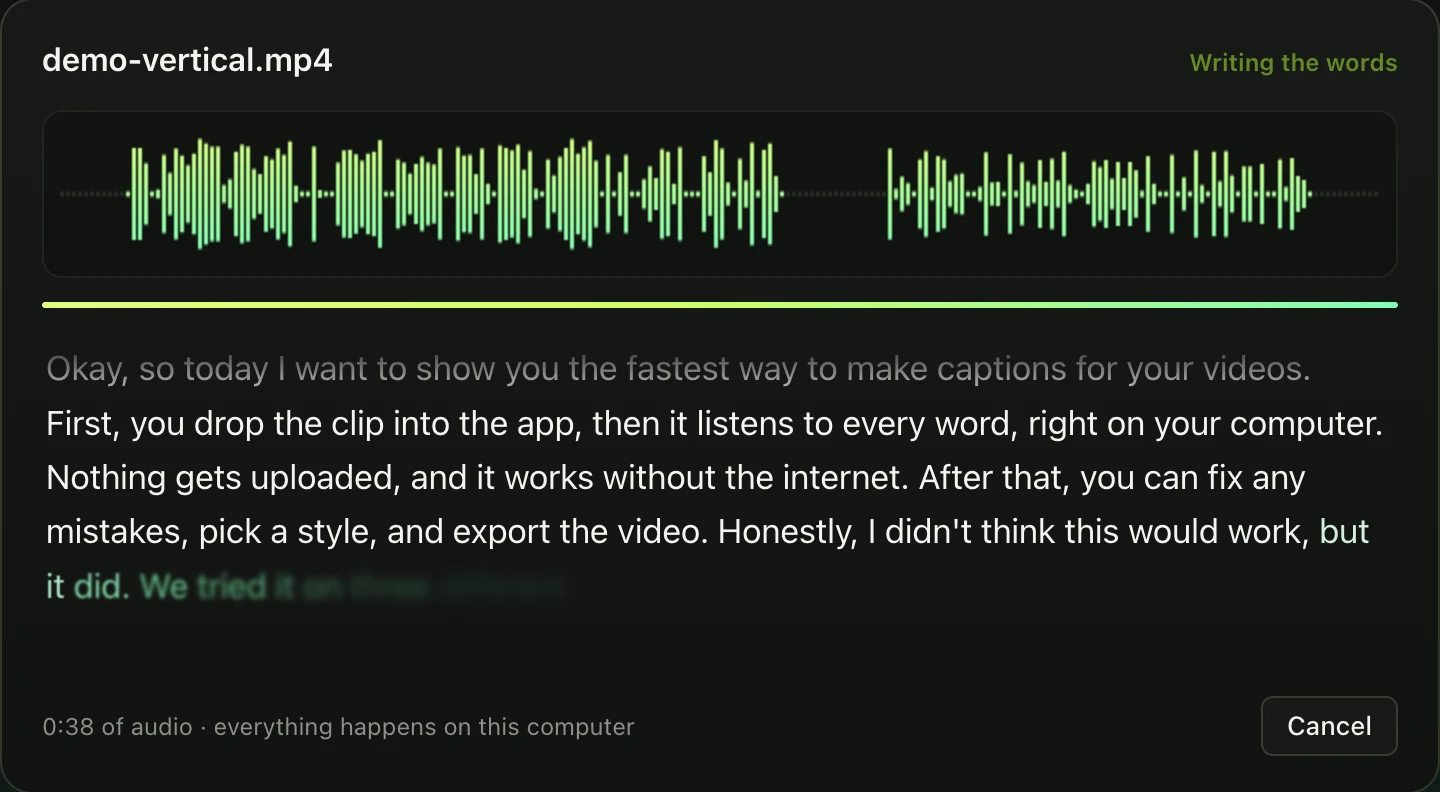
Good captions, not just a transcript.
Nothing over music
Voice detection finds where people speak. Intros, music and silence stay clean, so no made-up words.
Timed to the word
Each word starts when the voice does, for captions that feel in sync and word-by-word highlights that land.
Lines that read well
Breaks fall at sentence and clause ends, never after “the” or “to”, and never across a long pause.
Made for vertical video
Pop and word-by-word styles, plus a phone view that shows where TikTok, Reels and Shorts put their buttons.
Fix it fast
Uncertain words are underlined. Edit in place, find and replace, split, merge, undo. Your edits are saved.
Every format
SRT, VTT, ASS and plain text, or an MP4 with captions burned in, ready to post.
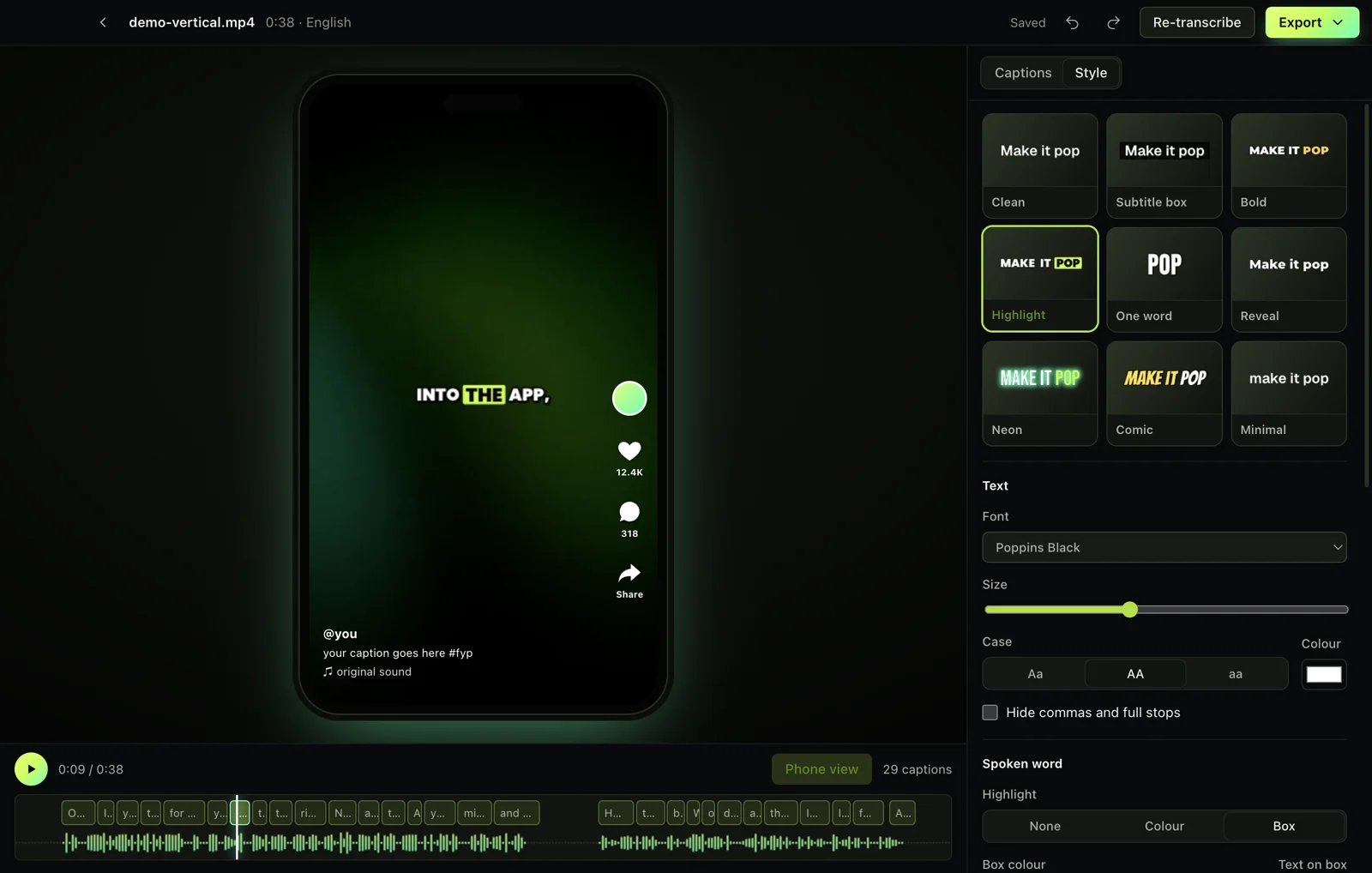
Pick a look. See it exactly as it exports.
Nine looks to start from, including Bold, Highlight box, One word, Reveal and Neon, with eleven caption fonts. The spoken word can change colour or sit on a box, and words can pop, fade or slide in. The preview is the finished video: same fonts, sizes and timing.
Your videos never leave your computer.
No account, no upload, no watermark, no limits. The only download is the speech model, once. After that Captionshaper works without the internet.
- Speech recognition runs on your Mac or PC
- No account and no tracking
- Open source under the GPL
Questions
Is it really free?
Yes. No trial, no watermark, no limits. Captionshaper is open source, and you can support it on Ko-fi if it saves you time.
Does it upload my video?
No. Everything happens on your computer. The app downloads the speech model once (about 570 MB), and that's its only connection to the internet.
Which languages does it understand?
About 99, including English, Spanish, French, German, Portuguese, Russian, Chinese and Japanese. It detects the language for you. For less common languages, the Most accurate model makes fewer mistakes.
How accurate is it?
On clear speech it gets almost every word right. We test it on clips with known scripts in English, Spanish and German: 0.7% word error rate, with captions within 0.15 seconds of the voice. Noisy audio and strong accents make more mistakes, which is why fixing words is quick.
Can it translate?
It can turn speech in any supported language into English captions. Tick “Translate to English” before you start.
Is it fast on Windows?
It runs on the processor, about one to two times real time on a recent PC. On Apple Silicon Macs it uses the GPU and is around five times faster than real time.
Does it work on Intel Macs?
Not yet. The Mac version needs Apple Silicon (M1 or newer).
Captions that keep up with you.
macOS 12+ on Apple Silicon · Windows 10 and 11 (64-bit)