 Captionshaper
How to add subtitles to a video automatically
Open the video in Captionshaper. It listens on your own computer, writes every word with its timing and splits it into readable captions in about a fifth of the video's length. Fix any words it got wrong, then export an SRT file or a new video with the subtitles burned in.
Updated 11 November 2026 · Hollowbit
Step by step
- Download CaptionshaperInstall the free app for Mac (Apple Silicon) or Windows from the download page.
- Drop your video on the windowMP4, MOV, MKV, WEBM and iPhone videos all work. The first time, Captionshaper downloads its speech model once.
- Let it listenWords appear as they are written. A one-minute clip takes about ten seconds on an M-series Mac.
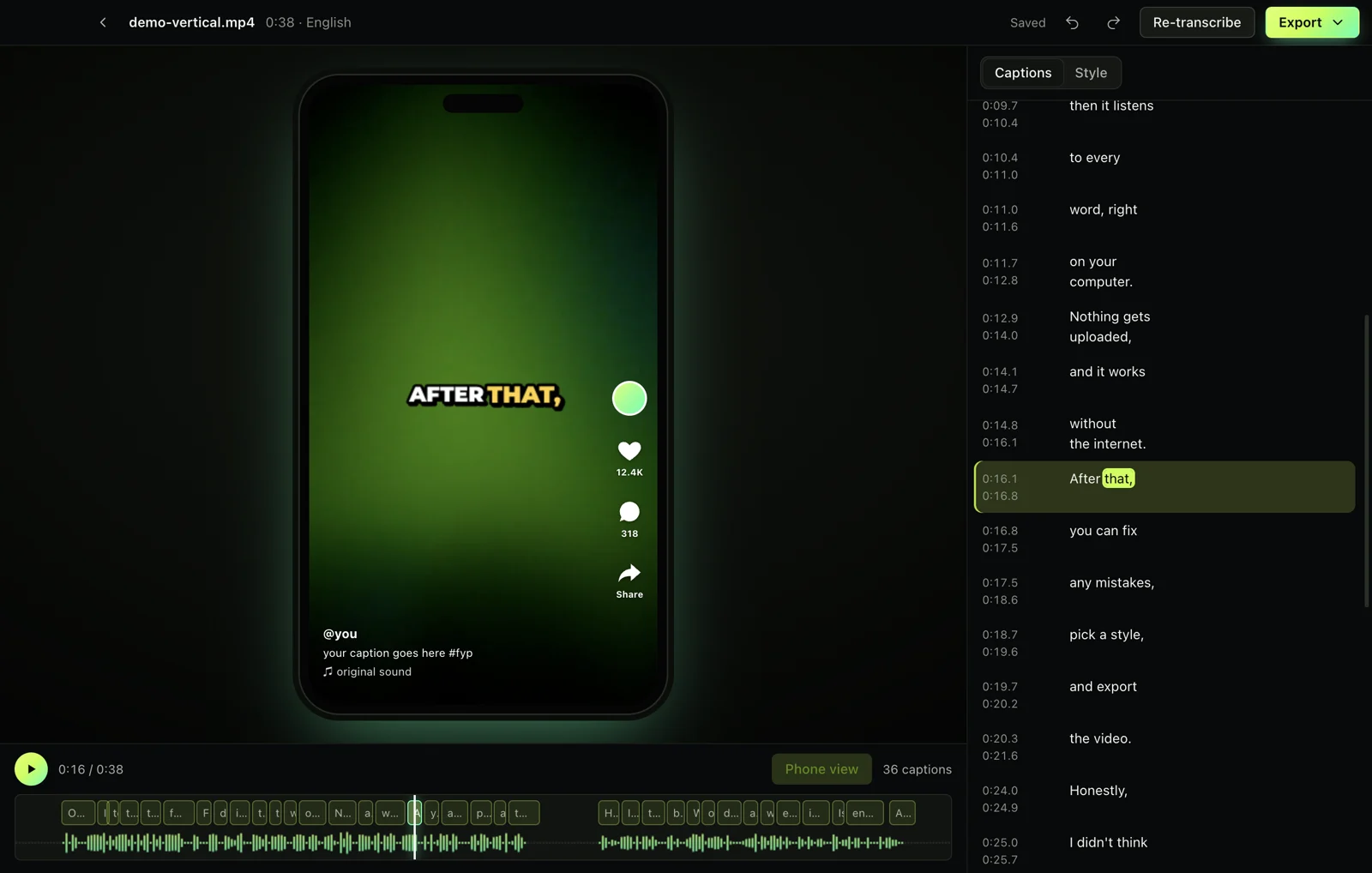
- Check the wordsWords it isn't sure about are underlined. Click a caption to fix it, or use find and replace for names.
- ExportChoose "Video with captions" for an MP4 with subtitles burned in, or "Subtitles (.srt)" to upload them separately.
Burned-in subtitles or a subtitle file?
Burned-in (open) captions are part of the picture, so they show everywhere, including on TikTok, Instagram and WhatsApp, which don't accept subtitle files. A subtitle file (SRT or VTT) keeps the text separate, so viewers can turn it off and platforms like YouTube can index it. If in doubt, export both.
Why automatic subtitles used to be bad
Older tools wrote a transcript and cut it every few seconds, so lines broke mid-phrase and captions sat on screen during silence or music. Captionshaper finds the speech first, times every word, and breaks lines where a person would.
Other ways to do it
YouTube Studio can generate captions after you upload, but only for YouTube. CapCut and online caption sites work, but upload your video and keep some styles behind a subscription. Captionshaper is free and keeps the video on your computer.
Questions
Is it really free?
Yes. No trial, no watermark, no limit on video length.
How accurate are automatic subtitles?
On clear speech almost every word is right. In our tests the word error rate was under 1% on clean English, Spanish and German clips. Noisy audio makes more mistakes, which is why editing is built in.
Which languages work?
About 99, detected automatically.
More guides
- How to add TikTok-style captions to a videoMake the bold, word-by-word captions you see on TikTok and Reels, with the spoken word highlighted. Free, offline, no watermark.
- How to make an SRT file from a videoCreate an accurate SRT file from any video or audio, with every caption timed to the speech. Free and offline on Mac and Windows.
- How to transcribe a video to textGet a full text transcript of any video or audio, with punctuation and paragraphs, without uploading it. Free on Mac and Windows.