 Captionshaper
How to transcribe a video to text
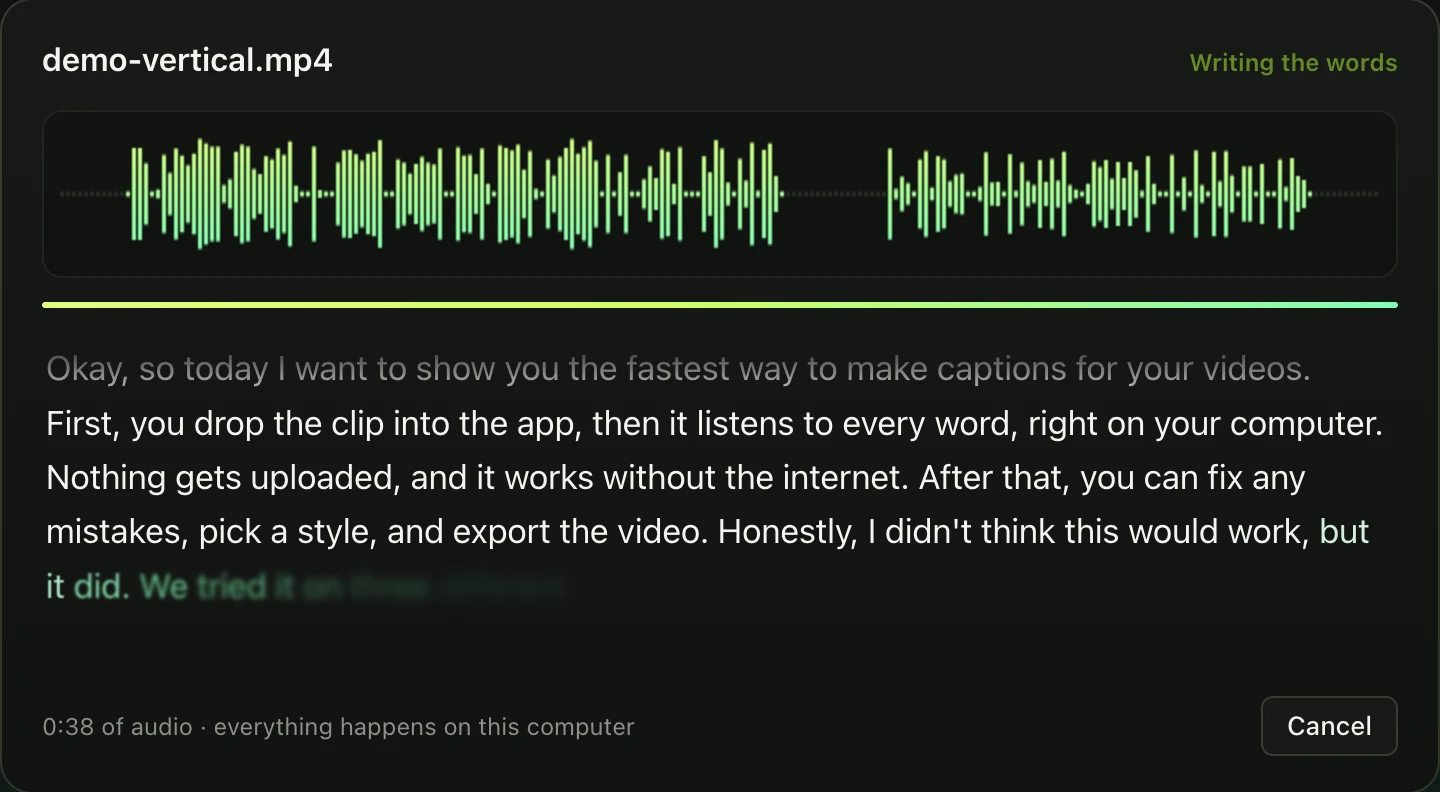
Open the video or audio in Captionshaper and let it transcribe on your computer, then choose Export, Transcript (.txt). You get the whole text with punctuation, split into paragraphs at long pauses. It works in about 99 languages and nothing is uploaded.
Updated 11 November 2026 · Hollowbit
Step by step
- Download CaptionshaperFree for Mac (Apple Silicon) and Windows.
- Open the fileVideos, voice memos, podcasts and lectures all work.
- Pick the modelRecommended suits most recordings. Most accurate is better for heavy accents, noise or less common languages.
- Read through itFix names and technical words with find and replace.
- Export, Transcript (.txt)Paste it into a document, a blog post or show notes.
Why local transcription matters
Interviews, meetings and lectures are often private. Online transcription sites keep copies of what you upload. Captionshaper does the whole job on your own computer.
How long it takes
About a fifth of real time with the Recommended model on an Apple Silicon Mac: a 30-minute recording takes about six minutes. Windows PCs take longer because transcription runs on the processor.
Other ways to do it
Otter, Descript and Rev transcribe well but need an account and an upload, and limit free minutes. Whisper itself is free but needs the command line.
Questions
Does it add punctuation?
Yes, full stops, commas, question marks and capital letters.
Can it tell speakers apart?
Not yet. The transcript is one continuous text split at pauses.
Can it transcribe audio files?
Yes: MP3, WAV, M4A, FLAC and more.
More guides
- How to add subtitles to a video automaticallyTurn speech into accurate, word-timed subtitles and add them to any video for free. No upload, no watermark, works on Mac and Windows.
- How to add TikTok-style captions to a videoMake the bold, word-by-word captions you see on TikTok and Reels, with the spoken word highlighted. Free, offline, no watermark.
- How to make an SRT file from a videoCreate an accurate SRT file from any video or audio, with every caption timed to the speech. Free and offline on Mac and Windows.