 Captionshaper
How to burn subtitles into a video
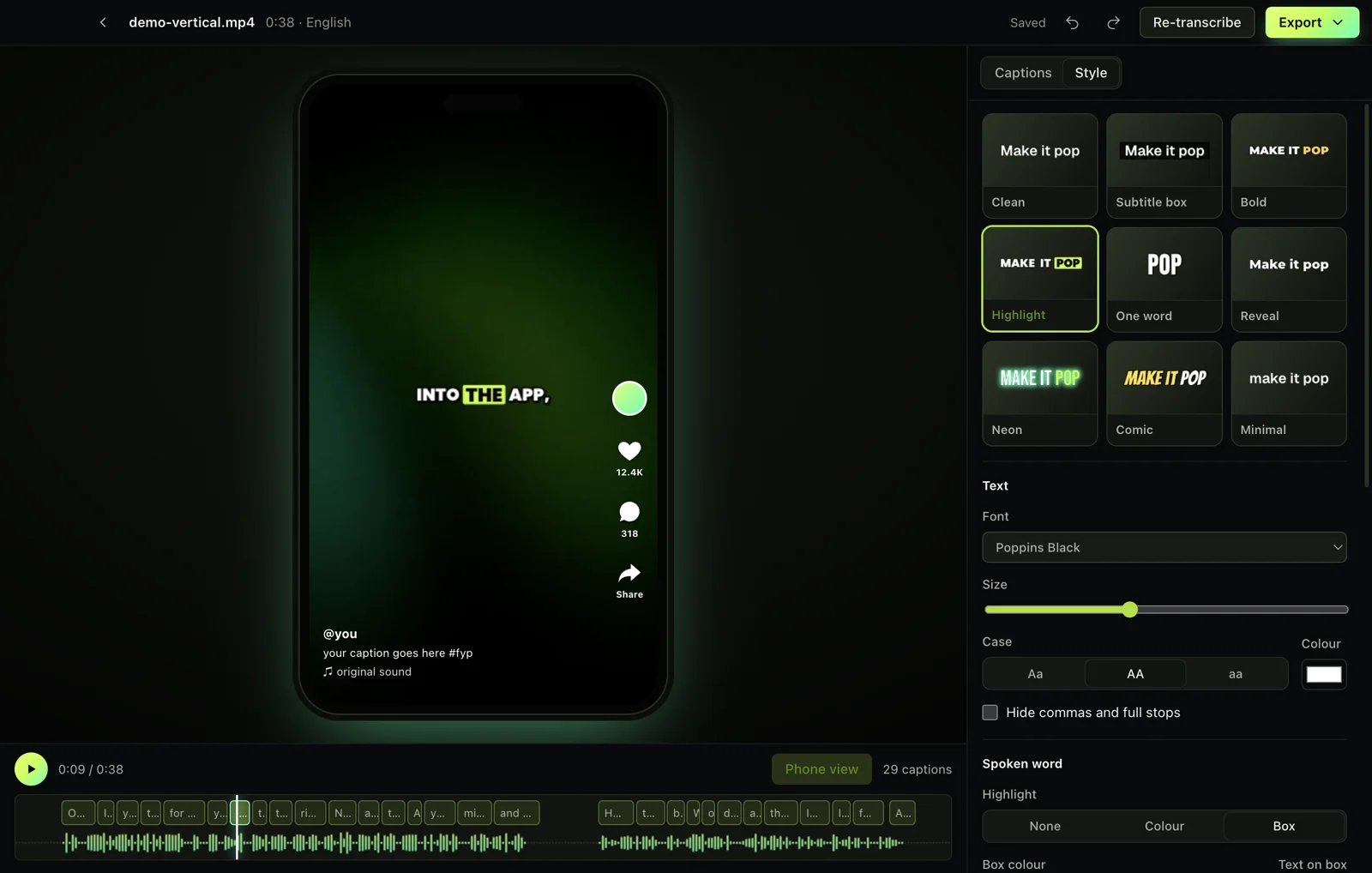
Burning (hardcoding) subtitles draws them into the picture, so they show on TikTok, Instagram, WhatsApp and anywhere else. In Captionshaper, open the video, let it write the captions (or fix them), pick a style, then choose Export, Video with captions. It saves a new MP4 and leaves the original untouched.
Updated 11 November 2026 · Hollowbit
Step by step
- Open your video in CaptionshaperIt writes the captions automatically with word timing.
- Fix any wordsEdit, merge or split captions until they are right.
- Choose a styleClean or Subtitle box for classic subtitles, Bold or Highlight for social video.
- Export, Video with captionsCaptionshaper encodes a new MP4 (H.264) with the captions drawn in. Keep the app open until it finishes.
Hardcoded vs soft subtitles
Soft subtitles are a separate track or file that viewers can switch off. Hardcoded subtitles are part of the image and can't be turned off, which is what social platforms need.
Quality
Captionshaper re-encodes at high quality (CRF 18), so the picture looks the same as the original. Captions are drawn at the video's full resolution with smooth edges.
Other ways to do it
FFmpeg can burn an SRT with the subtitles filter if you are comfortable with the command line. HandBrake can burn SRT files too, but styling is limited.
Questions
Can I use my own SRT file?
Not yet: Captionshaper writes the captions itself from the audio. You can edit every caption before exporting.
Will it lower the video quality?
Barely. The export uses high-quality H.264 settings.
How long does it take?
About as long as the video plays, often less, depending on your computer.
More guides
- How to add subtitles to a video automaticallyTurn speech into accurate, word-timed subtitles and add them to any video for free. No upload, no watermark, works on Mac and Windows.
- How to add TikTok-style captions to a videoMake the bold, word-by-word captions you see on TikTok and Reels, with the spoken word highlighted. Free, offline, no watermark.
- How to make an SRT file from a videoCreate an accurate SRT file from any video or audio, with every caption timed to the speech. Free and offline on Mac and Windows.