 Captionshaper
How to add English subtitles to a foreign-language video
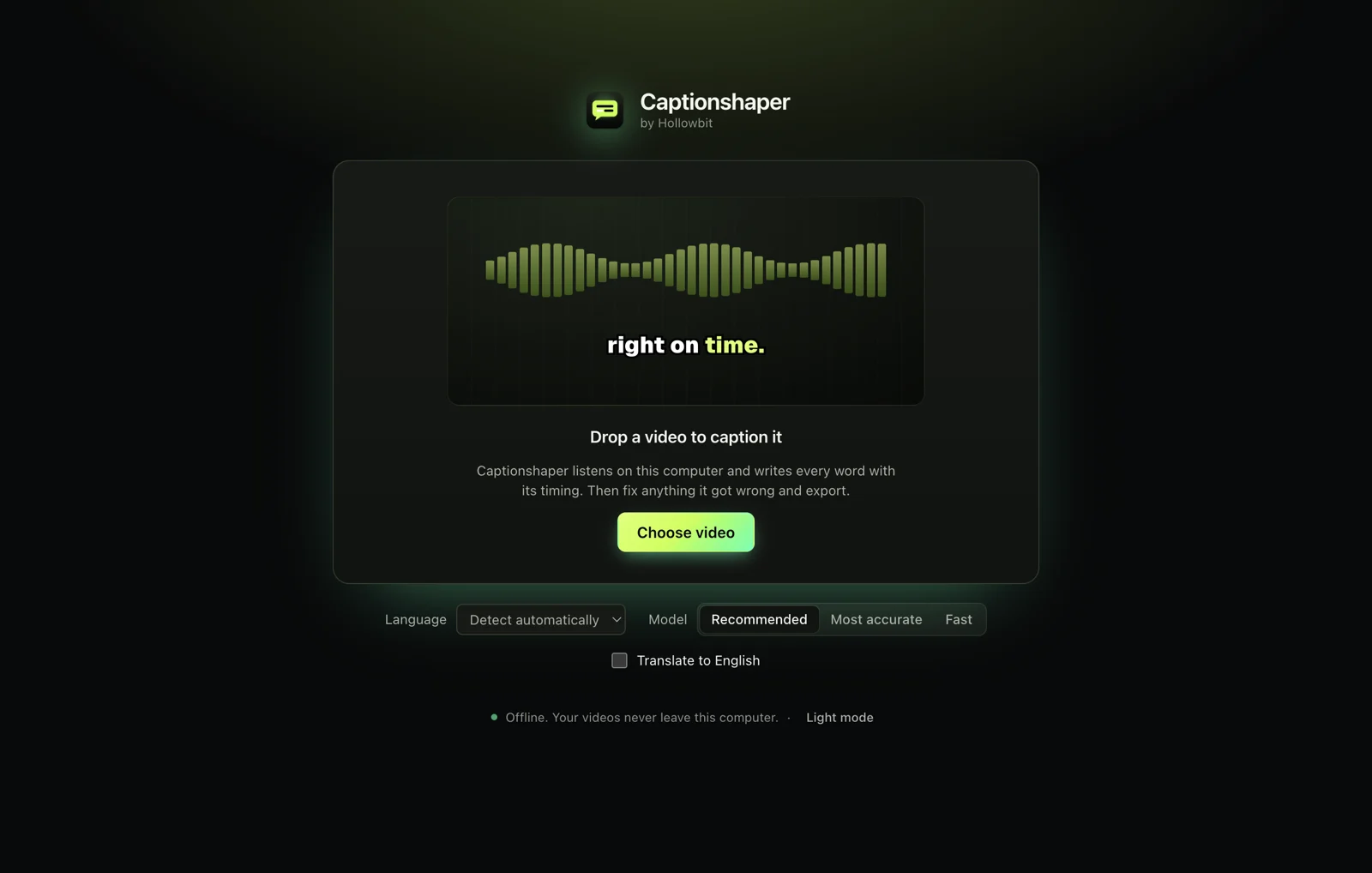
In Captionshaper, tick "Translate to English" before opening the video. It listens to the original language and writes English captions with timing, on your own computer. Then fix any phrases and export an SRT file or a video with the English subtitles burned in.
Updated 11 November 2026 · Hollowbit
Step by step
- Download CaptionshaperFree for Mac (Apple Silicon) and Windows.
- Tick "Translate to English"On the start screen, next to Language and Model.
- Open the videoCaptionshaper detects the spoken language and writes English captions.
- Polish the wordingTranslations are good but not perfect. Edit any caption by clicking it.
- ExportSRT for YouTube, or a video with the English captions burned in.
How good is the translation?
It comes from the Whisper model, which was trained on a large amount of translated speech. It handles everyday speech well; idioms and names sometimes need a fix.
Only into English
Translation goes into English only. For subtitles in the original language, leave the box unticked.
Other ways to do it
YouTube can auto-translate captions after upload. DeepL or Google Translate can translate an SRT file, but you need the original subtitles first.
Questions
Which languages can it translate from?
About 99, including Spanish, French, German, Portuguese, Russian, Chinese, Japanese and Korean.
Can it translate into other languages?
No, only into English for now.
Is the video uploaded for translation?
No. Everything happens on your computer.
More guides
- How to add subtitles to a video automaticallyTurn speech into accurate, word-timed subtitles and add them to any video for free. No upload, no watermark, works on Mac and Windows.
- How to add TikTok-style captions to a videoMake the bold, word-by-word captions you see on TikTok and Reels, with the spoken word highlighted. Free, offline, no watermark.
- How to make an SRT file from a videoCreate an accurate SRT file from any video or audio, with every caption timed to the speech. Free and offline on Mac and Windows.